
Set up WhatsApp Business for your customers
Updated November 9, 2026 · 3 min read
WhatsApp Business is a free app, separate from regular WhatsApp, built for businesses: a profile with your hours, automatic messages, ready-made replies, labels to sort customers. Here is the basic setup, step by step.
Who it is for Businesses whose customers would rather message than call. Depending on your country, your customers may prefer texts or phone calls: start there if so.
Fill in the business profile
Business name, category, short description, address, hours, email, website. It is the business card a customer sees on opening the chat.
Set the greeting message
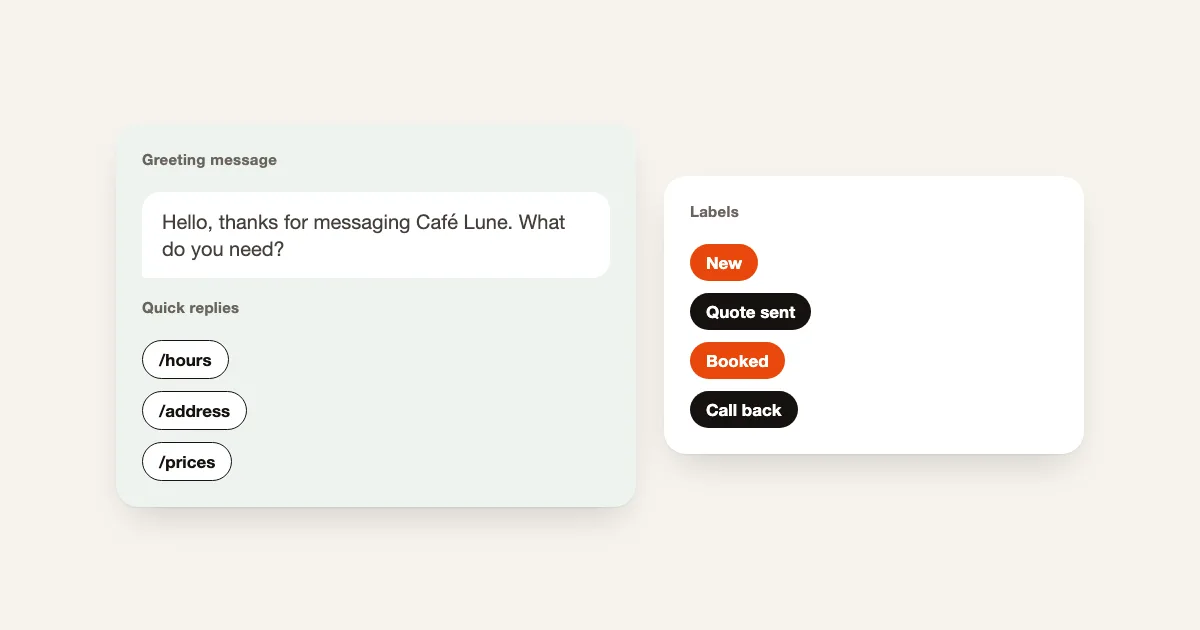
It goes out when a new customer writes. Say who you are and what they can do here: “Hello, thanks for messaging [name]. Tell us what you need and we will get back to you as soon as we can.”
Set the away message
It goes out outside your hours: repeat your opening hours and say when you pick messages up again. Do not put in a response time you cannot keep.
Prepare ready-made replies
Quick replies save you retyping the same sentences: address, hours, prices, how to book. WhatsApp creates some from your profile and lets you store up to 50; typing “/” in a chat shows them all.
Sort with labels
Create three or four labels: “New”, “Quote sent”, “Booked”, “Call back”. One label per chat is enough to know where you stand.
Show your services in the catalog
Start with five to ten services or products, each with a photo, a name and a price where you can give one.
Create the short link and the QR code
In the app, the “Tools” menu offers a short link and a QR code that open a chat with your business. You write the message that appears ready-made (140 characters at most); the customer can edit it before sending. Put the link on your website and Google profile, the QR code on the counter.
Did this guide help?