












Change my bank card
Updated 29 October 2026
In “Payment methods”, “Update my card” opens Stripe’s secure form. The new card is used for your next payments.
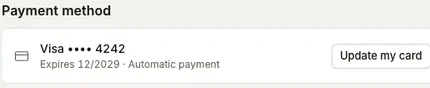
- Open “Settings”, then “Payment methods”.
- Under “Payment method”, tap “Update my card”: Stripe’s form opens.
- Enter the new card and confirm.
- Go back to “Payment methods”: the new card shows there, and your next payment will be charged to it.
“Remove this card” deletes the saved card. A card that is about to expire is flagged in the same section.
Did this article help?